
Identify from a photo
Snap or upload a photo of a houseplant, garden plant, tree, succulent, cactus or wildflower. The AI recognises more than 100,000 species.
PlantoScan plant identifier
Point your phone at a leaf, flower or tree and PlantoScan names it, shows how sure the match is and lists the next most likely species. Then add it to My Plants and get its care guide and water and fertilizer reminders.


Free on iPhone and Android · New 2.0 design in light and dark mode
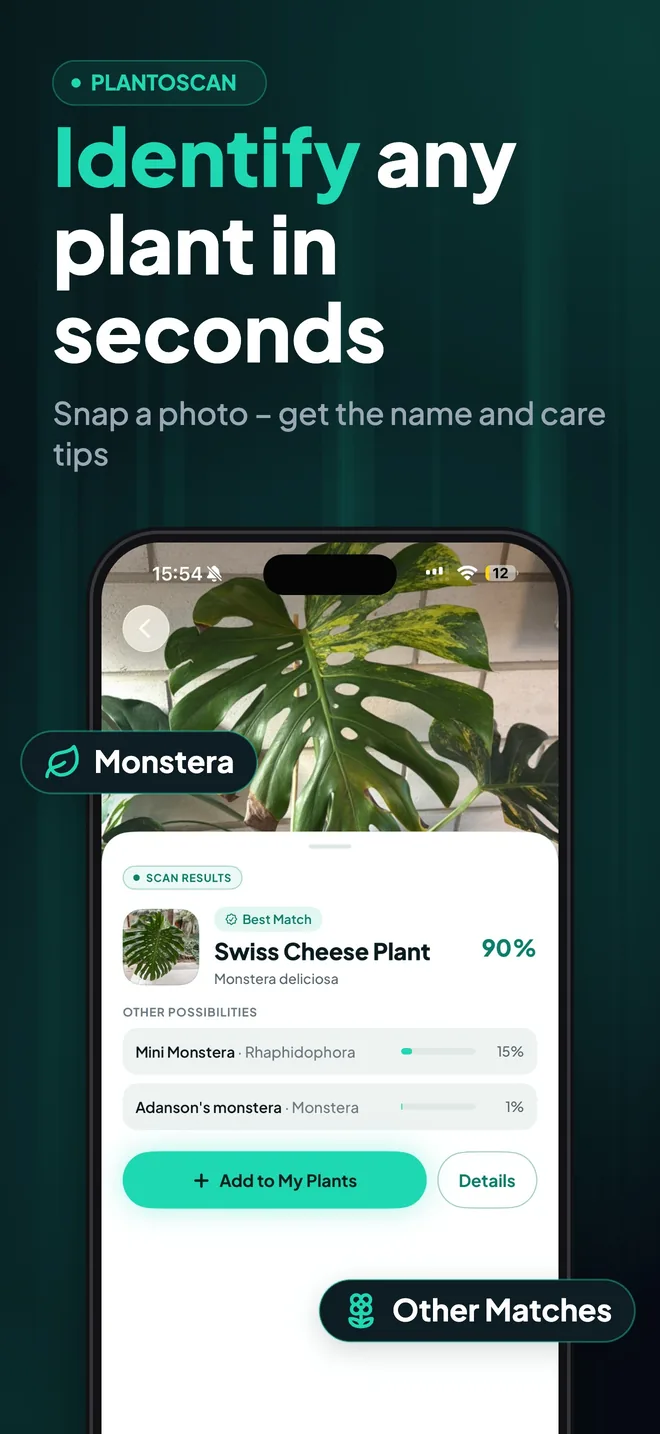
Snap or upload a photo of a houseplant, garden plant, tree, succulent, cactus or wildflower. The AI recognises more than 100,000 species.
Every result shows how sure the match is, plus the next most likely species, so you can compare and confirm the right one.
One tap adds the plant to your collection, with water and fertilizer reminders set up from its care needs.
Watering, light, humidity, temperature, soil, propagation and pet toxicity for the plant you just identified, in °C or °F.
Scan a plant and a 3D info card stays anchored beside it in the room. Tap it to open the plant's passport or add it to My Plants.
Every identification is saved, so you can come back to a plant you scanned on a walk or at the garden centre.
Looking for everything else? See all PlantoScan features.
Both use the same identification engine. The web scanner is the quickest way to try it on a computer or without installing anything; the app is built for identifying plants regularly, outdoors and at home.
| Web scanner | PlantoScan app | |
|---|---|---|
| Scans | 3 free scans | Unlimited scans |
| Results | Best match, confidence and other possibilities | Best match, confidence and alternatives to compare |
| After the scan | Link to the plant's care guide | Care guide, My Plants, scan history |
| Reminders | No | Water and fertilizer reminders |
| Sick plants | Symptom checker on the web | Plant doctor health check from a photo |
PlantoScan covers more than 100,000 species: houseplants and succulents, garden flowers and vegetables, shrubs and trees, cacti, ferns and wildflowers. Each result links to a care guide with watering, light, temperature, humidity, soil, propagation and pet toxicity.
A photo identification is a starting point, not a guarantee. Never eat a wild plant or mushroom based on any app, and if your pet ate a plant, contact your vet or animal poison control.

Download PlantoScan for free and identify plants from a photo on iPhone and Android.
Free
to download
100,000+
species
iPhone & Android
one account, synced
Light & dark
new 2.0 design